
AI Outreach Assistant
Spend less time preparing outreach
AI Outreach Assistant helps you organize campaign contacts and prepare email copy. Add recipients manually or upload a supported CSV, create a campaign, and use AI to draft a subject line and message body that you can edit before sending.
Whether you are contacting publishers, partners, or media contacts, make each message relevant and respectful. You remain responsible for verifying recipient details, following applicable email laws, and approving the final message.
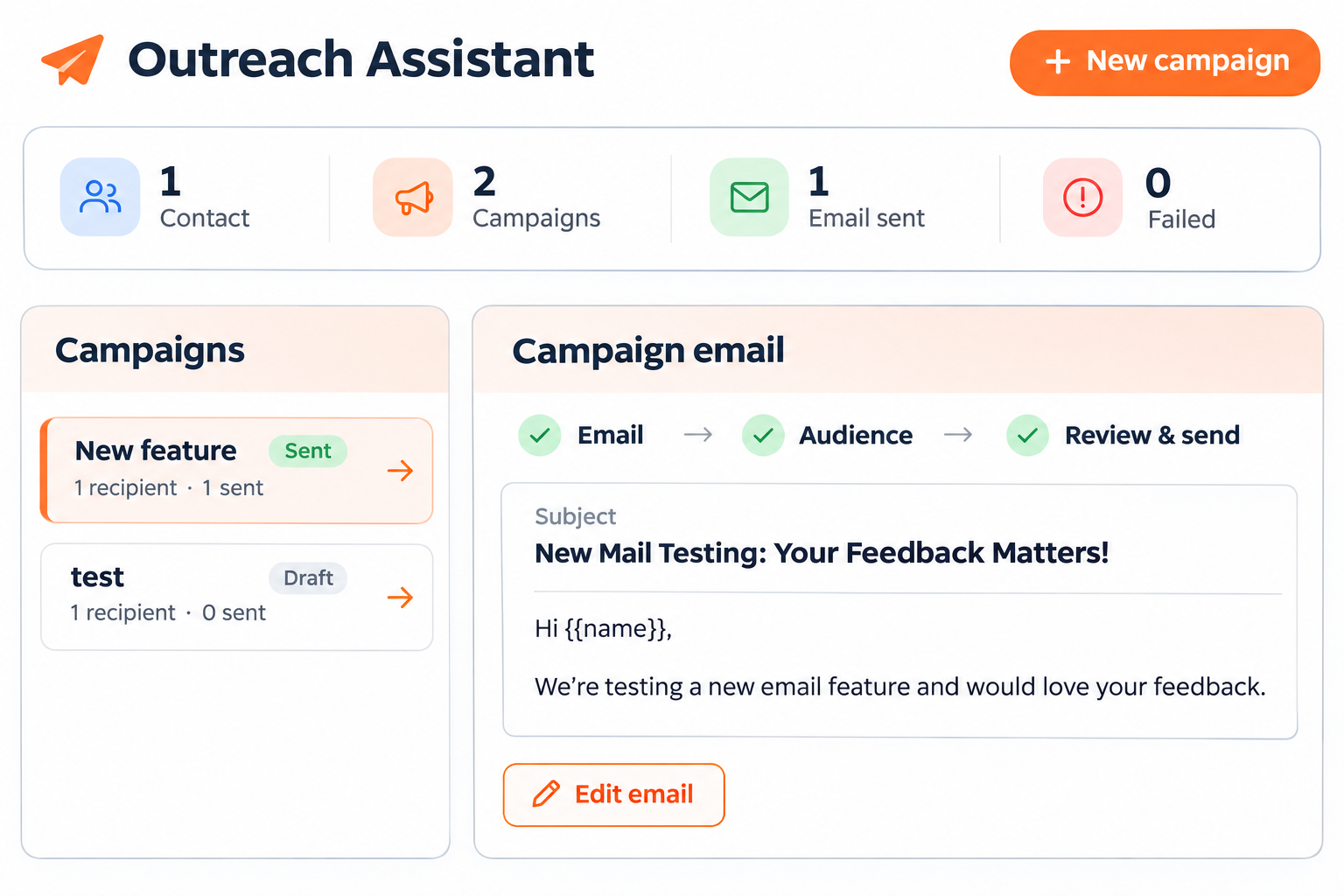
From contact list to reviewed message
AI-generated email is a draft, not a substitute for personalization or consent. Confirm recipients, claims, links, sender identity, and compliance requirements before sending. Sending and campaign features depend on your account configuration.
Campaign Recipient Management
Add or update recipient details for your campaign.
CSV Recipient Import
Import recipients using a supported CSV format.
AI Email Content Generation
Generate an email subject and body from your instructions.
Email Review & Approval
Edit and approve the copy before sending.
Campaign Organization in ESO
Organize recipients and campaigns in ESO.
Frequently asked questions
Does the assistant send messages without approval?
Review the current campaign workflow in your account. Do not publish a claim about automatic sending; the user should approve recipients and message content before a campaign is sent.
Does it find contacts automatically?
The described workflow supports user-provided recipient records and CSV uploads. Confirm any additional contact-discovery functionality before advertising it.