
Visual Validation
See how your website renders in multiple browser engines
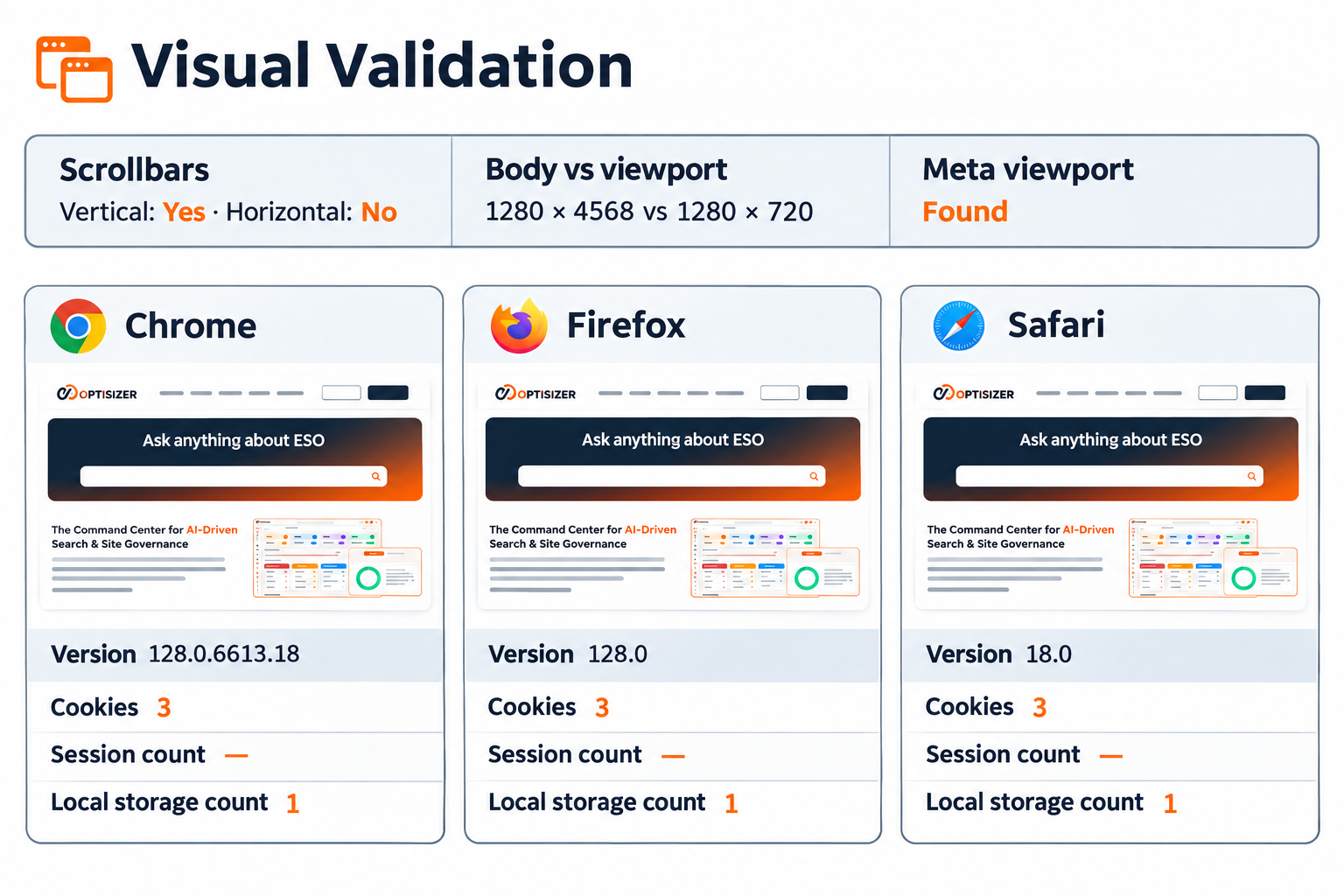
ESO Visual Validation captures the configured website homepage in Chromium, Firefox, and WebKit. Review the screenshots side by side and inspect available browser and page metadata, including viewport dimensions, viewport-meta presence, scrollbar information, and browser storage counts.
The report gives teams a quick visual reference for cross-browser review. It can help identify differences worth investigating, but it does not automatically determine whether a page is visually correct or fully compatible with every browser and device.
What the report includes
– Screenshots captured in Chromium, Firefox, and WebKit
– Browser name and detected browser version where available
– Viewport and document/body dimensions
– Presence or absence of a viewport meta tag
– Horizontal and vertical scrollbar indicators
– Cookie, local storage, and session storage counts where available
– Operating-system platform metadata reported by the browser
A simple cross-browser review
Run Visual Validation
Run Visual Validation for the configured website.
Compare browser screenshots
Compare the available browser screenshots.
Review layout metadata
Review viewport and scrollbar metadata for possible layout concerns.
Reproduce layout issues
Reproduce any suspected issue in the target browsers and device sizes.
Validate design changes
Make changes, then capture another report to compare the result.
Screenshots are a starting point, not a full compatibility test
The report captures the configured homepage with automated browser sessions. It does not test every URL, screen size, operating system, browser version, interaction, or user journey. Cookie banners, authentication, dynamic content, network conditions, and browser differences can also affect a capture.
For responsive or release testing, validate the important pages at representative viewport sizes and test navigation, forms, keyboard use, and other interactive behavior directly.
Frequently asked questions
Which browsers are included?
The current implementation captures Chromium, Firefox, and WebKit. WebKit is a browser engine and should not be described as a full Safari test unless the product team confirms that interpretation.
Does Visual Validation test mobile and tablet screen sizes?
The report includes viewport metadata, but the current implementation does not provide a range of device-size screenshots. Do not describe it as a complete responsive-device test.
Does it compare screenshots automatically and detect visual differences?
It captures and displays browser screenshots and metadata. The current report does not establish a pixel-by-pixel visual-diff comparison. Teams should inspect screenshots and reproduce suspected issues.
Which pages does it capture?
The current workflow captures the configured domain URL. Confirm whether the live product supports additional URLs before describing multi-page coverage.
Can a browser screenshot prove that a page works correctly?
No. A screenshot does not validate all interactions, accessibility, performance, or backend behavior. Test important user journeys separately.